
ഒരു വ്യക്തിയുടെ പിന്നിൽ വെള്ള പശ്ചാത്തലം സൃഷ്ടിക്കുക
വ്യക്തിയെ നിലനിർത്തി cutout-ന്റെ പിന്നിൽ വൃത്തിയുള്ള നിറം ഇടാൻ Document photo-യിലെ paid OpenAI background-removal പ്രവർത്തനം ഉപയോഗിക്കുക.
സേവനം തുറക്കുക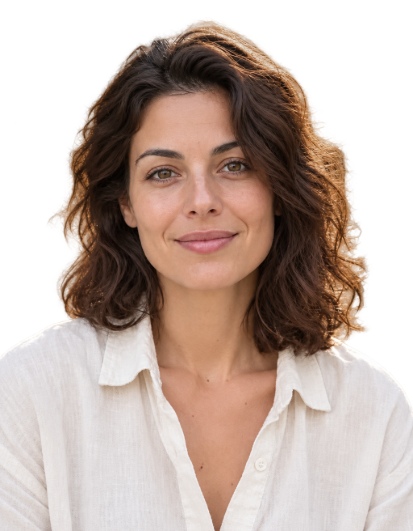
ഫലം
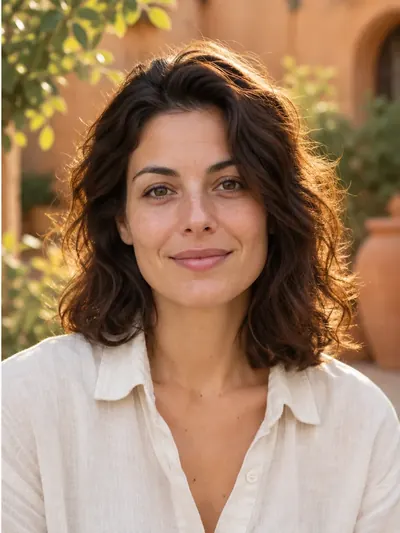
ഈ ഫലത്തിനായി ഉപയോഗിച്ച ക്രമീകരണങ്ങൾ
- മോഡൽ
- gpt-image-2.5-sunburst
- AI ഇമേജ് ജനറേഷൻ നിലവാരം
- സ്റ്റാൻഡേർഡ്
ക്രോപ്പിംഗ്, വെളുത്ത നിറം പൂരിപ്പിക്കൽ, വസ്ത്ര ഓവർലേകൾ, പ്രിൻറ് ലേഔട്ട് എന്നിവ നിങ്ങളുടെ ബ്രൗസറിലാണു പ്രവർത്തിക്കുന്നത്. പണമടച്ച OpenAI പ്രോസസ്സിംഗ് ഉപയോഗിക്കുന്നത് വ്യക്തിയെ വേർതിരിച്ചെടുത്ത ഭാഗം മാത്രം ആണ്.
സ്വയമേറ്റ നിർദ്ദേശങ്ങൾ
Isolate only the main person in the reference photo. Keep their visible body, hair, clothing and worn accessories. Remove every other person and every non-person object, including chairs, armchairs, seats, backrests, headrests, armrests, furniture, cushions, equipment and objects held in the hands. A chair or other object must be removed even when the person is sitting on it, leaning against it, touching it, or when it closely follows the outline of their head, hair, shoulders or clothing. Do not include any part of a chair or other surrounding object in the person cutout. Make all areas outside the person and all visible gaps between their body parts fully transparent. Preserve the exact identity, facial features, expression, skin texture, hair, clothing, body pose and natural outlines. Do not beautify, retouch or regenerate the face, and do not invent hidden or cropped body parts. Keep the original framing and orientation. Return only the person on a fully transparent background, with clean natural edges and no shadows or solid background.ഈ ക്രമീകരണങ്ങൾ പ്രസിദ്ധീകരിച്ച ഉദാഹരണത്തെ വിവരിക്കുന്നു. വീണ്ടും പ്രവർത്തിപ്പിക്കുമ്പോൾ വേറൊരു ചിത്രം ലഭിക്കാം.
ഒരു പോർട്രെയിറ്റ് ലോഡ് ചെയ്യുക
Document photo തുറന്ന് 40 MB-യും 36 MP-യും വരെ ഉള്ള JPEG, PNG അല്ലെങ്കിൽ WebP തിരഞ്ഞെടുക്കുക, അല്ലെങ്കിൽ വെബ്ക്യാം ഫോട്ടോഗ്രാഫ് എടുക്കുക. മുഴുവൻ തല, കഴുത്ത്, തോളുകൾ എന്നിവ കാണുന്നുവെന്ന് ഉറപ്പാക്കുക.
ഫോർമാറ്റും ഗുണനിലവാരവും തിരഞ്ഞെടുക്കുക
ഡോക്യുമെന്റ് വലുപ്പം തിരഞ്ഞെടുക്കുക, മുഖം നിരത്തുക. സൈൻ ഇൻ ചെയ്ത് ഡ്രാഫ്റ്റ്, സ്റ്റാൻഡേർഡ് അല്ലെങ്കിൽ ഹൈ background-removal quality തിരഞ്ഞെടുക്കുക. അനുബന്ധമായി ക്രമീകരിച്ച ചെലവുകൾ 5, 10, 30 ക്രെഡിറ്റുകളാണ്.
White background behind person പ്രവർത്തിപ്പിക്കുക
നിശ്ചിത action button അമർത്തുക. പ്രധാന വ്യക്തി, വസ്ത്രം, ധരിച്ച ആക്സസറികൾ എന്നിവ മാത്രം നിലനിർത്തി പശ്ചാത്തലം, കസേരകൾ, മറ്റ് വസ്തുക്കൾ എന്നിവ നീക്കം ചെയ്യാനുള്ള നിർദ്ദേശങ്ങളോടെ ഒരു കുറച്ച വലുപ്പത്തിലുള്ള പകർപ്പ് OpenAI-ലേക്ക് അയയ്ക്കുന്നു. Guest free attempts ഉപയോഗിക്കില്ല.
പരിശോധിച്ച് എക്സ്പോർട്ട് ചെയ്യുക
മുടി, മുഖം, തോളുകൾ എന്നിവ പരിശോധിക്കുക. എഡിറ്റർ സുതാര്യ പ്രദേശങ്ങൾ വെള്ള നിറത്തിൽ നിറയ്ക്കും; ഈzelfde ഫോട്ടോയിനായി വീണ്ടും paid removal അഭ്യർത്ഥന ഇല്ലാതെ grey അല്ലെങ്കിൽ blue തിരഞ്ഞെടുക്കാം. JPG അല്ലെങ്കിൽ PNG തയ്യാറാക്കി ഡൗൺലോഡ് ചെയ്യുക.
പ്രായോഗിക നിർദ്ദേശങ്ങൾ
നിറ പട്ടികയിൽ White തിരഞ്ഞെടുക്കുന്നത് മാത്രം അപ്പാക് പശ്ചാത്തലം നീക്കം ചെയ്യില്ല. പ്രോസസ് ചെയ്ത ഉറവിടവും cutout-ഉം 90 ദിവസം വരെ സ്വകാര്യ ചരിത്രത്തിൽ സൂക്ഷിക്കും; cropping, നിറമാറ്റങ്ങൾ ബ്രൗസറിലാണ് പ്രവർത്തിക്കുന്നത്.